Schedule Version Comparison
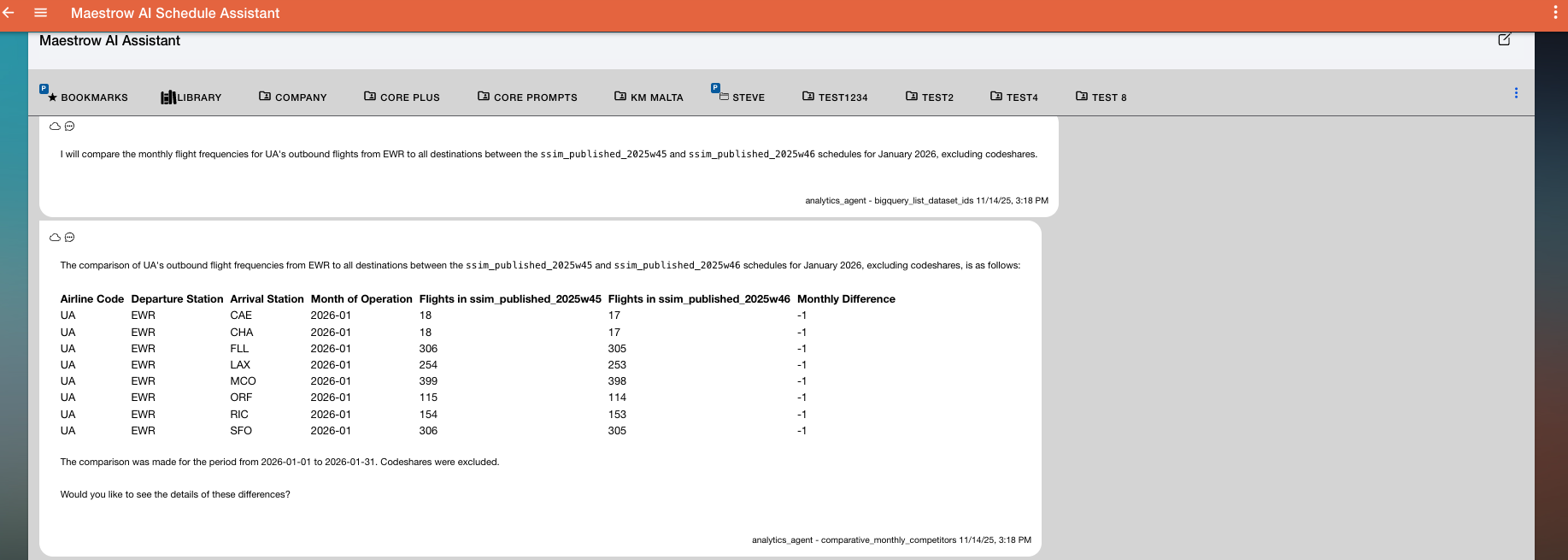
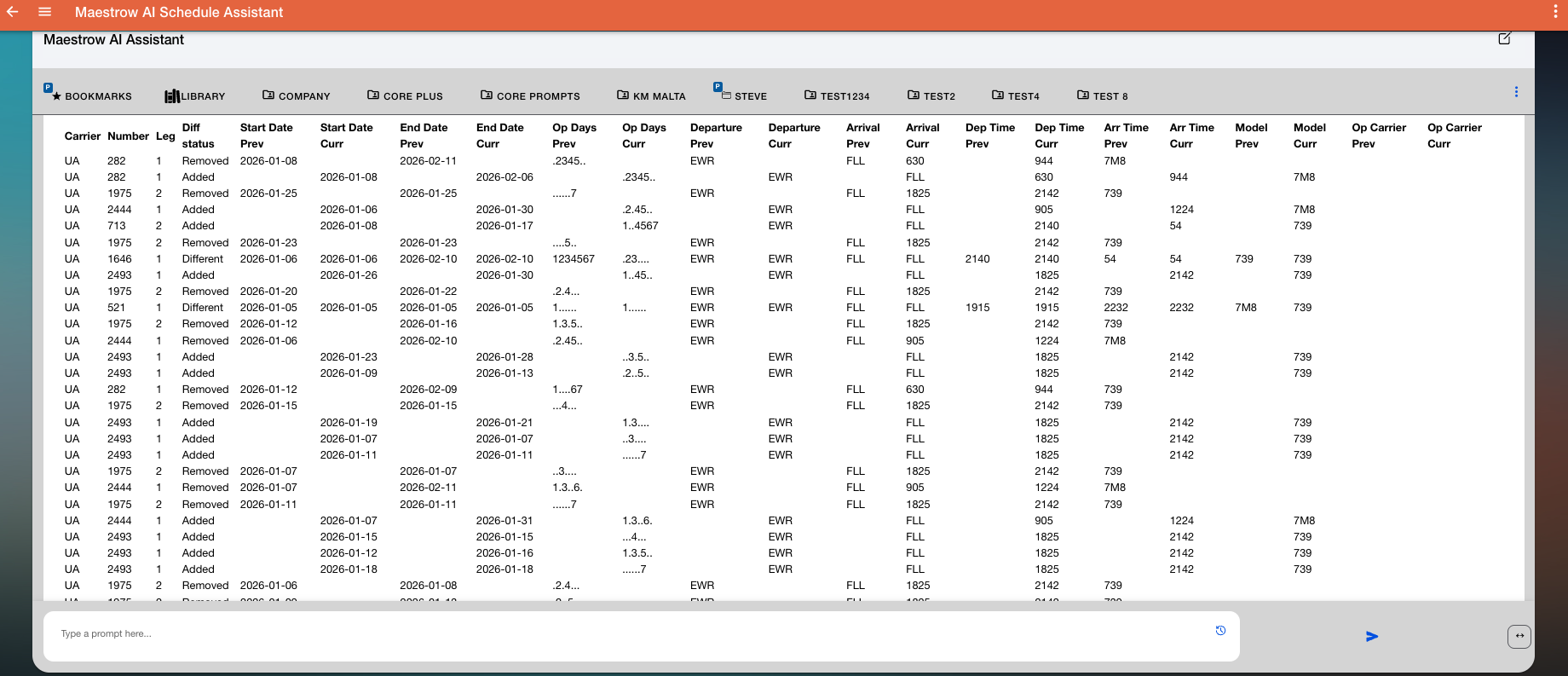
The Schedule Version Comparison identifies changes in flight frequencies for a specific airline and departure station between two published schedule versions over a given period. After providing a high-level frequency summary, Maestrow will ask if you want to see the detailed changes on a flight-by-flight basis.
Keywords
Use one of these words or phrases in your prompt:
Schedule Comparison Frequency Analysisfrequency comparisonschedule comparisonweekly comparison
Prompt Examples
Perform a schedule comparison monthly frequency analysis for KM at MLA between current and previous flight schedules for Dec 2025 – Jan 2026.
Perform a schedule comparison weekly frequency analysis for KM at MLA between current and previous flight schedules for Dec 2025 – Jan 2026.
Compare UA's outbound flight frequencies from EWR to all destinations between the latest two published schedules for January 2026. Exclude codeshares.
Provide a schedule comparison frequency analysis for EK from DXB over the next two months, showing weekly frequency changes.
Variables and Filters
- Airline IATA Code — airline whose schedule you want to compare (e.g. KM, UA, EK)
- Departure Station — IATA code of the origin airport (e.g. MLA, EWR)
- Date Range — start and end dates for the analysis window; only flights departing within this range are included
- Exclude Codeshares (optional) — removes codeshare flights to focus solely on operating carrier frequencies
- Competitor Carriers (optional) — include competitor airlines for benchmarking; if left blank, analysis focuses solely on the specified airline
Process Overview
- Identify Datasets — retrieves all available published schedule datasets and selects the two most recent versions unless others are specified
- Define Scope — user specifies airline, departure station, and date range to limit analysis to relevant flights
- Prepare Parameters — all parameters (airline, station, dataset IDs, date range, and optional flags) are compiled for the comparative frequency tool
- Execute Comparison — analyses both datasets, calculating weekly flight frequency differences for each route
- Generate Results — output includes route-level frequency deltas showing week-by-week changes (e.g.
week_1_diff,week_2_diff) - Format for Presentation — each week's data is labelled using its Monday start date (e.g. 2025-12-01, 2025-12-08) and displayed as a structured table or chart
Outputs
Results show how flight frequencies have changed between schedule versions, identifying:
- Frequency growth or reduction by market
- Newly added or dropped destinations
- Seasonal or operational adjustments between datasets
Results can be displayed in two ways:
- Display in chat
- CSV export — for extended analysis or archiving